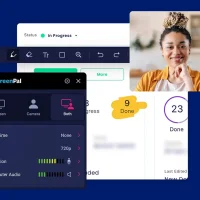
Camtasia - Screen Recording Software
zoom_in Click to enlarge

description Camtasia Overview

TechSmith's Camtasia is the gold standard for creating professional software tutorials, training videos, and online course content. It dominates the category by seamlessly integrating a robust screen recorder with a powerful, yet surprisingly accessible, video editor. Unlike standalone recorders, Camtasia's workflow is unified: you record your screen and webcam, and immediately land in a timeline packed with prosumer editing tools, a vast library of royalty-free assets (music, icons, lower thirds), animations, cursor effects, and callouts. Its 'SmartFocus' feature automatically creates smooth zoom-and-pan effects on key areas of your screen recording.

Historically, it carved its niche by targeting educators and instructional designers, evolving from a simple recorder into a comprehensive content creation suite. It's ideal for anyone who needs to record, edit, polish, and publish high-quality explainer videos without needing separate applications like Premiere Pro. While alternatives like ScreenFlow (Mac) offer similar integration, Camtasia's cross-platform availability (Windows & Mac), consistent updates, and exceptional asset library justify its premium position.

recommend Best for: Camtasia is best suited for professionals creating software tutorials, training videos, and online course content.

info Camtasia Specifications

balance Camtasia Pros & Cons

thumb_up Pros
  • check Professional quality output
  • check Seamless integration of recording and editing
  • check Extensive library of templates and annotations
  • check Cross-platform support
thumb_down Cons
  • close Steep learning curve for advanced features
  • close Higher price point compared to basic screen recorders
  • close Limited mobile app functionality
  • close Occasional software bugs

help Camtasia FAQ

What are the system requirements for Camtasia?

Camtasia requires Windows 10 or macOS Catalina and later, with specific hardware recommendations.

Is there a free trial available for Camtasia?

Yes, TechSmith offers a 30-day free trial of Camtasia.

Can I use Camtasia on my mobile device?

Camtasia has a mobile app but it is limited compared to the desktop version.

What is Camtasia?
TechSmith's Camtasia is the gold standard for creating professional software tutorials, training videos, and online course content. It dominates the category by seamlessly integrating a robust screen recorder with a powerful, yet surprisingly accessible, video editor. Unlike standalone recorders, Camtasia's workflow is unified: you record your screen and webcam, and immediately land in a timeline packed with prosumer editing tools, a vast library of royalty-free assets (music, icons, lower thirds), animations, cursor effects, and callouts. Its 'SmartFocus' feature automatically creates smooth zoom-and-pan effects on key areas of your screen recording. Historically, it carved its niche by targeting educators and instructional designers, evolving from a simple recorder into a comprehensive content creation suite. It's ideal for anyone who needs to record, edit, polish, and publish high-quality explainer videos without needing separate applications like Premiere Pro. While alternatives like ScreenFlow (Mac) offer similar integration, Camtasia's cross-platform availability (Windows & Mac), consistent updates, and exceptional asset library justify its premium position.
How good is Camtasia?
Camtasia scores 7.5/10 (Good) on Lunoo, making it a well-rated option in the Screen Recording Software category. Camtasia scores 8.7/10 due to its professional output quality, seamless integration of recording and editing, extensive library of templates and annot...
How much does Camtasia cost?
From $299/yr or $15/mo (Enterprise). Visit the official website for the most up-to-date pricing.
What are the best alternatives to Camtasia?
See our alternatives page for Camtasia for a ranked list with scores. Top alternatives include: Filmora Scrn (by Wondershare), OBS Studio, Vidyard.
What is Camtasia best for?

Camtasia is best suited for professionals creating software tutorials, training videos, and online course content.

How does Camtasia compare to Filmora Scrn (by Wondershare)?
See our detailed comparison of Camtasia vs Filmora Scrn (by Wondershare) with scores, features, and an AI-powered verdict.
Is Camtasia worth it in 2026?
With a score of 7.5/10, Camtasia is a solid option in Screen Recording Software. See all Screen Recording Software ranked.
What are the key specifications of Camtasia?
  • API: Yes
  • Platform: Windows, macOS
  • Languages: English, Spanish, French, German, Japanese, Chinese (Simplified and Traditional)
  • Integration: Adobe Creative Cloud, Microsoft Office, Google Workspace
  • File Formats Supported for Export: MP4, AVI, MOV

Reviews & Comments

Write a Review

lock

Please sign in to share your review

rate_review

Be the first to review

Share your thoughts with the community and help others make better decisions.

Save to your list

Create your first list and start tracking the tools that matter to you.

Track favorites
Get updates
Compare scores

Already have an account? Sign in

Compare Items

See how they stack up against each other

Comparing
VS
Select 1 more item to compare