
description MSI Prestige 16 Studio Overview
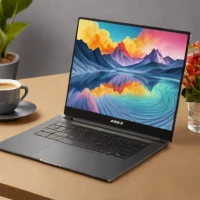
The MSI Prestige 16 Studio is designed for creators who need a desktop-class experience in a portable frame. It features a large 16-inch screen and a dedicated NVIDIA RTX GPU, making it capable of heavy video editing, 3D modeling, and high-end gaming. While slightly heavier than the ultraportables, its ability to handle sustained professional workloads makes it a strong contender for creative professionals who need power on the go.
help MSI Prestige 16 Studio FAQ
What GPU options does the MSI Prestige 16 Studio come with?
Configurations go up to an NVIDIA GeForce RTX 4070 Laptop GPU. The 'Studio' branding means it ships with NVIDIA Studio drivers, which are validated for stability in creator applications like Adobe Premiere Pro and Blender rather than prioritizing game-ready drivers.
How heavy is the MSI Prestige 16 Studio?
It lands at around 1.9 kg (roughly 4.2 pounds) despite packing a 16-inch panel and discrete RTX graphics. That makes it far more travel-friendly than MSI's gaming flagships like the Raider series, which often exceed 2.5 kg.
Is the Prestige 16 Studio's display good enough for photo editing?
It uses a 16-inch QHD+ (2560x1600) 16:10 panel, and MSI markets this class of screen with 100% DCI-P3 coverage for color-critical work. Serious colorists may still want a hardware calibration pass, but it's well above basic office-laptop panels.
Should I get the MSI Prestige 16 Studio or a 16-inch MacBook Pro for creative work?
The Prestige's key advantage is NVIDIA's CUDA and NVENC acceleration, which matters for DaVinci Resolve, Blender, and Premiere Pro effects rendering on Windows. Apple's 16-inch MacBook Pro counters with class-leading battery life and exclusive access to Final Cut Pro, so the software you depend on should drive the choice.
explore Explore More


Reviews & Comments
Write a Review
Be the first to review
Share your thoughts with the community and help others make better decisions.


