
description OWC ThunderBay 2 (Thunderbolt) Overview
This is the entry-level, two-bay RAID enclosure from OWC. It introduces users to the concept of hardware RAID and Thunderbolt speed at a lower cost than the 4-bay units. Its perfect for users graduating from simple external drives who want to add a layer of data protection (RAID 1) without the massive investment of a full professional array.
help OWC ThunderBay 2 (Thunderbolt) FAQ
How many drives fit in the OWC ThunderBay 2?
The ThunderBay 2 is a two-bay RAID enclosure for adding two internal drives. It is aimed at users moving beyond a single external disk while keeping the enclosure smaller than OWC’s four-bay models.
What connection does the OWC ThunderBay 2 use?
It uses Thunderbolt 2, making it especially relevant to older Macs equipped with Thunderbolt ports. Newer USB-C or Thunderbolt systems may require a compatible adapter and may not support every legacy workflow.
Which RAID modes can the ThunderBay 2 provide?
With two drives, common choices include RAID 0 for speed and RAID 1 for a mirrored copy. RAID 1 improves protection against one drive failing, but it does not replace an independent backup.
Is the OWC ThunderBay 2 compatible with modern Macs?
It can work with a modern Mac only when the computer, adapter chain, operating system, and RAID software support the older Thunderbolt 2 enclosure. Check the exact Mac ports and OWC compatibility notes before buying.
explore Explore More
Similar to OWC ThunderBay 2 (Thunderbolt)
compare_arrows Compare: G-Technology G-RAID Shuttle... See all arrow_forward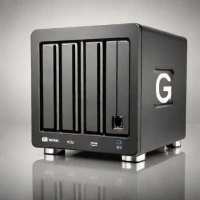

Reviews & Comments
Write a Review
Be the first to review
Share your thoughts with the community and help others make better decisions.


