Pixlr - Photo Editing Software
zoom_in Click to enlarge

description Pixlr Overview

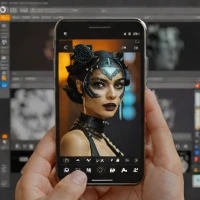
Pixlr is a long-standing favorite for those who want a browser-based alternative to Photoshop. Its AI background removal tool is fast, accurate, and integrated into a full-featured photo editor. Unlike single-purpose tools, Pixlr allows you to perform complex post-removal edits, such as color correction, layer manipulation, and text addition, all within the same tab. It is an excellent choice for users who need more control over their images than a simple 'one-click' remover provides.

The free version is ad-supported but offers enough power for most casual and semi-professional editing tasks.

recommend Best for: Ideal for beginners and casual users who need basic to intermediate photo editing capabilities.

info Pixlr Specifications

balance Pixlr Pros & Cons

thumb_up Pros
  • check User-friendly interface
  • check Wide array of features
  • check Cross-platform compatibility
  • check Free version available
thumb_down Cons
  • close Limited advanced tools
  • close Less powerful than professional software
  • close Some features require a paid plan
  • close Performance can be slow with large files

help Pixlr FAQ

Is Pixlr free to use?

Yes, Pixlr offers a free version for basic editing needs.

Does Pixlr have advanced tools?

While it covers many basics, some advanced features require a paid plan.

Can I use Pixlr on my mobile device?

Pixlr has both web and mobile versions, making it accessible across devices.

What is Pixlr?
Pixlr is a long-standing favorite for those who want a browser-based alternative to Photoshop. Its AI background removal tool is fast, accurate, and integrated into a full-featured photo editor. Unlike single-purpose tools, Pixlr allows you to perform complex post-removal edits, such as color correction, layer manipulation, and text addition, all within the same tab. It is an excellent choice for users who need more control over their images than a simple 'one-click' remover provides. The free version is ad-supported but offers enough power for most casual and semi-professional editing tasks.
How good is Pixlr?
Pixlr scores 7.8/10 (Good) on Lunoo, making it a well-rated option in the Photo Editing Software category. Pixlr scores 8.0/10 due to its user-friendly interface, wide array of features, and cross-platform compatibility. However, it lacks some advanced tool...
How much does Pixlr cost?
Free Plan • From $9.99/mo for advanced features. Visit the official website for the most up-to-date pricing.
What are the best alternatives to Pixlr?
See our alternatives page for Pixlr for a ranked list with scores. Top alternatives include: Pixlr X2, Snappa, Darkroom.
What is Pixlr best for?

Ideal for beginners and casual users who need basic to intermediate photo editing capabilities.

How does Pixlr compare to Pixlr X2?
See our detailed comparison of Pixlr vs Pixlr X2 with scores, features, and an AI-powered verdict.
Is Pixlr worth it in 2026?
With a score of 7.8/10, Pixlr is a solid option in Photo Editing Software. See all Photo Editing Software ranked.
What are the key specifications of Pixlr?
  • API: Yes
  • Languages: English, Spanish, French, German, Japanese, Chinese (Simplified)
  • Platforms: Web, iOS, Android
  • Integration: Can be integrated with other web services and platforms

Reviews & Comments

Write a Review

lock

Please sign in to share your review

rate_review

Be the first to review

Share your thoughts with the community and help others make better decisions.

Save to your list

Create your first list and start tracking the tools that matter to you.

Track favorites
Get updates
Compare scores

Already have an account? Sign in

Compare Items

See how they stack up against each other

Comparing
VS
Select 1 more item to compare