
description REAPER Overview
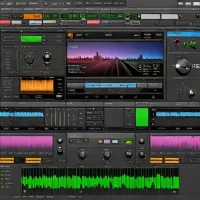
Cockos Reaper is the ultimate tool for users who demand extreme customization and efficiency. It is incredibly lightweight, consuming very little CPU resources even with hundreds of tracks. Its unique 'action' system allows users to script almost any behavior within the software. While it lacks a built-in library of instruments, its flexibility makes it a favorite for power users, game audio designers, and those who want a DAW that adapts to their specific workflow.
help REAPER FAQ
Why do producers say REAPER is unusually customizable?
REAPER is built around actions, key bindings, scripts, toolbars, themes, and custom menus. Users can automate workflows with ReaScript using Lua, EEL, or Python, which is why it is popular with people who build very personal editing setups.
Can REAPER handle large multitrack sessions on a modest laptop?
REAPER has a reputation for being lightweight compared with many full DAWs. It runs on Windows, macOS, and Linux, and many users choose it for large audio-editing sessions because the installer and default resource use are small.
Is REAPER only for music, or can it handle podcasts and sound design too?
It works for both. REAPER supports multitrack recording, ripple editing, item-based effects, video playback, and batch rendering, so it is common in music production, podcast editing, game audio, and post-production.
What is different about REAPER's licensing compared with Pro Tools or Logic?
Cockos sells REAPER directly with discounted and commercial license tiers rather than a subscription-only model. It also offers a full-featured evaluation version, while Logic Pro is Mac-only and Pro Tools is tied more closely to Avid's subscription and hardware ecosystem.
explore Explore More



Reviews & Comments
Write a Review
Be the first to review
Share your thoughts with the community and help others make better decisions.


