Samsung ViewFinity S9 - 4K Monitors
zoom_in Click to enlarge

description Samsung ViewFinity S9 Overview

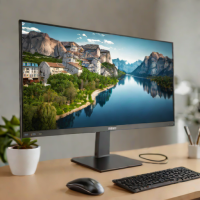
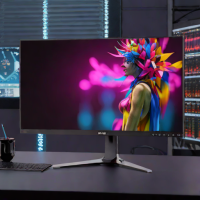
The Samsung ViewFinity S9 is a direct competitor to the Apple Studio Display, offering a 27-inch 5K panel with a unique matte finish that significantly reduces glare. This makes it a superior choice for offices with bright lighting or windows behind the user.

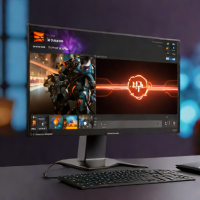
It includes smart features like built-in streaming apps and a detachable 4K webcam. While it lacks the seamless macOS integration of Apple's own display, its anti-glare coating and versatile connectivity make it a highly practical and visually stunning alternative for professional environments.

recommend Best for: Creative professionals and power users who need a highresolution, antiglare 27inch display for colorcritical work in brightly lit environments.

info Samsung ViewFinity S9 Specifications

balance Samsung ViewFinity S9 Pros & Cons

thumb_up Pros
  • check 27-inch 5K (5120×2880) resolution delivers extremely sharp images for design and media work
  • check Matte antiglare coating minimizes reflections, ideal for bright offices or windowed spaces
  • check IPS panel with 99% sRGB and 95% DCIP3 coverage ensures precise, consistent colors
  • check USBC (96W Power Delivery) plus HDMI2.0 and DisplayPort1.4 provide versatile connectivity
  • check Builtin speakers and USBA ports add convenience without extra adapters
  • check VESA 100×100mm compatibility allows easy mounting on monitor arms
thumb_down Cons
  • close Only 60Hz refresh rate; lacks higherrefresh options for gaming
  • close No HDMI2.1, limiting support for the latest consoles and highbandwidth sources
  • close Stand offers tilt only; height and pivot adjustments require a thirdparty arm
  • close Premium price point ($1,299) makes it a significant investment
  • close No builtin webcam or microphone, requiring external accessories for video calls

help Samsung ViewFinity S9 FAQ

Does the Samsung ViewFinity S9 support 5K resolution?

Yes, the monitor features a native 5K resolution of 5120×2880, delivering crisp details for photo editing, video production, and detailed UI work.

Can I connect the ViewFinity S9 to a MacBook using USBC?

Absolutely; the USBC port supports video, data, and 96W Power Delivery, making it a singlecable solution for compatible MacBooks.

Does the display have a matte coating?

It ships with a factoryapplied matte finish that reduces glare and reflections, which is especially useful in brightly lit environments.

Is the stand heightadjustable?

The included stand only tilts; for height, pivot, or swivel adjustments youll need a VESAcompatible monitor arm (100×100mm).

What HDR capabilities does the ViewFinity S9 offer?

It supports HDR10 playback, but its brightness peaks around 600nits, so it does not meet stricter HDR400/600 standards.

What is Samsung ViewFinity S9?
The Samsung ViewFinity S9 is a direct competitor to the Apple Studio Display, offering a 27-inch 5K panel with a unique matte finish that significantly reduces glare. This makes it a superior choice for offices with bright lighting or windows behind the user. It includes smart features like built-in streaming apps and a detachable 4K webcam. While it lacks the seamless macOS integration of Apple's own display, its anti-glare coating and versatile connectivity make it a highly practical and visually stunning alternative for professional environments.
How good is Samsung ViewFinity S9?
Samsung ViewFinity S9 scores 8.8/10 (Very Good) on Lunoo, making it a well-rated option in the 4K Monitors category. The ViewFinity S9 earns an 8.9/10 because its 5K resolution, excellent color accuracy, and matte coating provide a superior visual experience for crea...
How much does Samsung ViewFinity S9 cost?
From $1,299. Visit the official website for the most up-to-date pricing.
What are the best alternatives to Samsung ViewFinity S9?
See our alternatives page for Samsung ViewFinity S9 for a ranked list with scores. Top alternatives include: Dell U2723QE, LG 32UN880-B, LG 27GR95U-B.
What is Samsung ViewFinity S9 best for?

Creative professionals and power users who need a highresolution, antiglare 27inch display for colorcritical work in brightly lit environments.

How does Samsung ViewFinity S9 compare to Dell U2723QE?
See our detailed comparison of Samsung ViewFinity S9 vs Dell U2723QE with scores, features, and an AI-powered verdict.
Is Samsung ViewFinity S9 worth it in 2026?
With a score of 8.8/10, Samsung ViewFinity S9 is highly rated in 4K Monitors. See all 4K Monitors ranked.
What are the key specifications of Samsung ViewFinity S9?
  • Brightness: 600nits (typical)
  • Panel Type: IPS (AntiGlare Matte)
  • Resolution: 5120×2880 (5K)
  • VESA Mount: 100×100mm
  • Screen Size: 27 inches
  • Connectivity: 1× USBC (96W PD, DisplayPort1.4), 2× HDMI2.0, 1× DisplayPort1.4, 3× USBA (3.0), 1× 3.5mm audio out, 1× Ethernet (1Gbps)

Reviews & Comments

Write a Review

lock

Please sign in to share your review

rate_review

Be the first to review

Share your thoughts with the community and help others make better decisions.

Save to your list

Create your first list and start tracking the tools that matter to you.

Track favorites
Get updates
Compare scores

Already have an account? Sign in

Compare Items

See how they stack up against each other

Comparing
VS
Select 1 more item to compare