
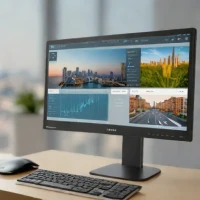
description Gigabyte M27Q-P Overview
For the power user who needs 144Hz smoothness but doesn't require 4K resolution, the M27Q-P is a fantastic value proposition. It pairs a high refresh rate with solid color performance and USB-C connectivity. While 4K is superior for pure detail, this monitor offers a noticeable boost in day-to-day responsiveness for coding, web browsing, and general productivity without breaking the bank. It's a great balance of features.
help Gigabyte M27Q-P FAQ
Does the Gigabyte M27Q-P support USB-C connectivity and power delivery?
Yes, the M27Q-P features a USB-C port that supports data transfer, video input, and power delivery. This allows you to connect and charge compatible laptops with a single cable, reducing desktop clutter.
What is the resolution and refresh rate of the Gigabyte M27Q-P?
This monitor features a 1440p (QHD) resolution paired with a 144Hz refresh rate. This combination makes it an excellent choice for power users who want smooth gaming performance without the heavy GPU demands of 4K.
How does the KVM switch on the Gigabyte M27Q-P work?
The built-in KVM (Keyboard, Video, Mouse) switch allows you to control multiple computers connected to the monitor using a single set of peripherals. You can easily toggle between sources using the monitor's onboard controls or OSD menu.
What panel type does the Gigabyte M27Q-P use?
It uses an IPS (In-Plane Switching) panel, which provides excellent viewing angles and strong color accuracy compared to standard VA or TN panels. This makes it highly suitable for both color-sensitive work and fast-paced gaming.
explore Explore More



Reviews & Comments
Write a Review
Be the first to review
Share your thoughts with the community and help others make better decisions.


