
description Gigabyte M32Q Overview
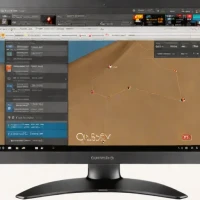
The Gigabyte M32Q is a 32-inch 1440p gaming monitor offering a great balance of performance and affordability. It features a 175Hz refresh rate, AMD FreeSync Premium, and a wide color gamut (90% DCI-P3). While not the absolute best in terms of color accuracy, it delivers a vibrant and enjoyable gaming experience at a competitive price.
help Gigabyte M32Q FAQ
Is the Gigabyte M32Q really a 175Hz monitor?
The M32Q is generally specified for 165Hz operation with an overclock to 170Hz, not 175Hz. It displays 2560 x 1440 pixels on a 31.5-inch IPS panel.
What does the built-in KVM switch do on the M32Q?
The KVM lets one keyboard, mouse, and display setup control two connected computers. Its USB-C connection is especially useful for pairing a laptop with a gaming desktop, although its charging power is limited compared with a full laptop dock.
Can a PlayStation 5 or Xbox Series X use 120Hz on the M32Q?
The monitor accepts high-refresh console signals through HDMI, including 1440p at 120Hz where the console supports that mode. It uses HDMI 2.0 rather than HDMI 2.1, so it is not intended for 4K at 120Hz input.
Is 1440p sharp enough on a 32-inch M32Q?
At 31.5 inches, 2560 x 1440 produces a lower pixel density than the same resolution on a 27-inch monitor. The larger image suits gaming and multitasking, but text and fine interface elements will not look as crisp as on a 32-inch 4K display.
explore Explore More
Similar to Gigabyte M32Q
See all arrow_forward


Reviews & Comments
Write a Review
Be the first to review
Share your thoughts with the community and help others make better decisions.


