
description Seagate Expansion Desktop Overview
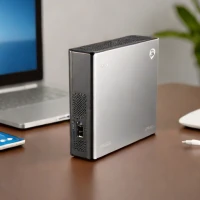
The Seagate Expansion Desktop is a large-capacity portable hard drive designed for desktop use. It offers ample storage space for backing up photos, videos, and documents. While it utilizes USB 3.0, it's a cost-effective solution for users who prioritize capacity over speed. It's a good option for those who need a simple and affordable storage solution for their desktop computer.
help Seagate Expansion Desktop FAQ
Does the Seagate Expansion Desktop need its own power adapter?
Yes, unlike a bus-powered portable drive, the Expansion Desktop uses an external power supply. Its USB connection transfers data, but a wall outlet is required to run the larger desktop-class drive.
Can Seagate Expansion Desktop be used with both Windows and Mac?
It can work with either platform, but the factory file system may need to be reformatted for the desired workflow. ExFAT supports convenient exchange between Windows and macOS, while APFS or NTFS is better suited to a single operating system.
Is Seagate Expansion Desktop fast enough for editing 4K video?
It uses a mechanical hard disk over USB 3.x, so it is well suited to backups and bulk media storage but much slower at random access than an external SSD. Proxy editing or archival storage is more realistic than expecting SSD-like performance with demanding 4K timelines.
Is one Seagate Expansion Desktop enough for a backup?
One external drive protects against failure of the computer's internal storage, but not against theft, fire, accidental deletion, or failure of the backup drive itself. A stronger plan follows the 3-2-1 principle, with three copies on two media types and one copy stored elsewhere.
explore Explore More
Similar to Seagate Expansion Desktop
compare_arrows Compare: Seagate Portable Drive 2TB See all arrow_forward


Reviews & Comments
Write a Review
Be the first to review
Share your thoughts with the community and help others make better decisions.


