description Sigma Computing Overview

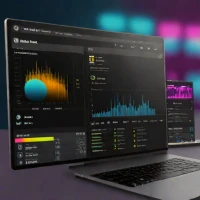
Sigma Computing is a cloud-native analytics platform that bridges the gap between spreadsheets and BI tools. It is designed specifically for modern cloud data warehouses like Snowflake, Databricks, and BigQuery. Its interface feels like a spreadsheet, making it incredibly intuitive for business users, yet it generates highly optimized SQL in the background. This allows users to perform deep, ad-hoc analysis without needing to write code.

Sigma is rapidly gaining popularity for its ability to empower non-technical users to explore massive datasets directly, bypassing the need for traditional, rigid dashboard development cycles.

info Sigma Computing Specifications

balance Sigma Computing Pros & Cons

thumb_up Pros
  • check Spreadsheet-like interface enables business users to analyze data without SQL knowledge
  • check Native integration with major cloud data warehouses including Snowflake, Databricks, and BigQuery
  • check No-code query building with drag-and-drop functionality for rapid analysis
  • check Fast performance by pushing computations directly to the underlying cloud warehouse
  • check Embedded analytics capabilities allow integration into existing products and workflows
  • check Real-time collaboration features support team-based data exploration
thumb_down Cons
  • close Requires an existing cloud data warehouse which adds significant infrastructure cost
  • close Limited offline functionality as a fully cloud-based platform
  • close Pricing can become expensive for organizations with many users and high query volumes
  • close Steep learning curve for advanced features and complex calculations beyond basic analysis
  • close Limited customization options compared to traditional BI tools for specialized visualizations

help Sigma Computing FAQ

What data warehouses does Sigma Computing support?

Sigma Computing supports major cloud data warehouses including Snowflake, Databricks, Google BigQuery, Amazon Redshift, Azure Synapse, and PostgreSQL. It connects directly to these platforms allowing users to query data without moving or duplicating it.

How does Sigma Computing differ from traditional BI tools?

Unlike traditional BI tools that require ETL processes and separate data models, Sigma connects directly to cloud warehouses and uses a spreadsheet-like interface. This eliminates data duplication and allows business users to explore data without relying on technical teams.

Can non-technical users use Sigma Computing effectively?

Yes, Sigma is specifically designed for business users who lack SQL or programming skills. Its familiar spreadsheet interface allows users to perform data analysis, create visualizations, and build dashboards through point-and-click interactions.

Does Sigma offer embedded analytics capabilities?

Sigma provides robust embedded analytics through its Sigma Embedding feature, allowing organizations to integrate live analytics directly into their own applications, portals, or products with full interactivity and security controls.

How does Sigma handle data security and access control?

Sigma implements enterprise-grade security including SOC 2 Type II compliance, SSO/SAML authentication, row-level and column-level security, and granular role-based access controls that inherit permissions from the underlying data warehouse.

What is Sigma Computing?
Sigma Computing is a cloud-native analytics platform that bridges the gap between spreadsheets and BI tools. It is designed specifically for modern cloud data warehouses like Snowflake, Databricks, and BigQuery. Its interface feels like a spreadsheet, making it incredibly intuitive for business users, yet it generates highly optimized SQL in the background. This allows users to perform deep, ad-hoc analysis without needing to write code. Sigma is rapidly gaining popularity for its ability to empower non-technical users to explore massive datasets directly, bypassing the need for traditional, rigid dashboard development cycles.
How good is Sigma Computing?
Sigma Computing scores 9.1/10 (Excellent) on Lunoo, making it one of the highest-rated options in the AI Image Generator category. Sigma Computing earns a 9.1/10 due to its exceptional spreadsheet-like interface that democratizes data analysis, seamless cloud warehouse integration...
What are the best alternatives to Sigma Computing?
See our alternatives page for Sigma Computing for a ranked list with scores. Top alternatives include: Tensor.art, Flowise, Adobe Firefly.
How does Sigma Computing compare to Tensor.art?
See our detailed comparison of Sigma Computing vs Tensor.art with scores, features, and an AI-powered verdict.
Is Sigma Computing worth it in 2026?
With a score of 9.1/10, Sigma Computing is highly rated in AI Image Generator. See all AI Image Generator ranked.
What are the key specifications of Sigma Computing?
  • Platform: Web-based SaaS (cloud-native)
  • API Access: REST API and Embedding SDK available
  • Deployment: Fully managed cloud service (no on-premise option)
  • Mobile Apps: iOS and Android native applications
  • Collaboration: Real-time co-editing and shared workbooks
  • Authentication: SSO/SAML, MFA support

Reviews & Comments

Write a Review

lock

Please sign in to share your review

rate_review

Be the first to review

Share your thoughts with the community and help others make better decisions.

Save to your list

Create your first list and start tracking the tools that matter to you.

Track favorites
Get updates
Compare scores

Already have an account? Sign in

Compare Items

See how they stack up against each other

Comparing
VS
Select 1 more item to compare