
description Sonix Overview
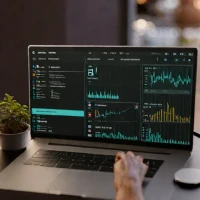
Audio and video transcription are the focus of Sonix, a cloud-based service that converts spoken recordings into editable text. Its browser workspace connects transcript passages with the source recording, helping users review wording and correct recognition errors. Multilingual transcription and translation support make it relevant to work involving recordings in different languages. Sonix suits researchers and businesses handling interviews or other spoken material, including projects with many files.
Searchable transcripts can make reviewing recordings easier, while export options help move the resulting text into another workflow. Accuracy and processing time depend on factors such as recording quality and speech clarity, so manual checking remains necessary. Compared with Descript's broader media-editing approach, Sonix centers its experience on managing and refining transcripts rather than rebuilding a production around text-based editing.
help Sonix FAQ
How much does Sonix charge for one-off transcription?
Sonix currently lists pay-as-you-go transcription at $10 per audio hour. Billing is based on the recording's duration, and subscription plans include a set number of transcription and translation hours.
Can Sonix create subtitles for YouTube or Premiere Pro?
Sonix exports timed captions in formats including SRT and VTT, which can be imported into YouTube and common video editors. It can also burn subtitles directly into a video file.
Which languages can Sonix transcribe?
Sonix advertises automated transcription in more than 54 languages, including English, Spanish, German, Japanese, Arabic, and Mandarin Chinese. Accuracy still depends heavily on audio quality, overlapping speech, accents, and specialist terminology.
Does Sonix identify different speakers?
Sonix provides speaker labels and timestamps in its browser-based editor. You should review the labels manually when speakers interrupt one another or have similar voices.
explore Explore More


Reviews & Comments
Write a Review
Be the first to review
Share your thoughts with the community and help others make better decisions.


