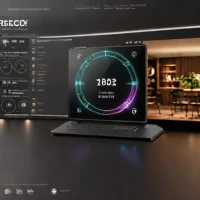
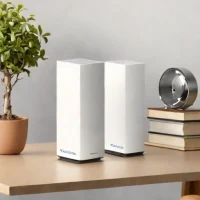
description TP-Link Deco X60 Overview
The TP-Link Deco X60 is a mesh Wi-Fi system that provides seamless coverage throughout your home. Utilizing Wi-Fi 6 technology, it delivers fast and reliable speeds. The Deco app simplifies setup and management, allowing for parental controls and guest network creation. It's an excellent choice for families and those seeking a user-friendly, whole-home Wi-Fi solution.
The X60's affordability combined with its mesh capabilities makes it a compelling option, although its performance might be slightly lower than high-end standalone extenders.
info TP-Link Deco X60 Specifications
| Ports | 2× Gigabit Ethernet ports per unit |
| Weight | 1.5 lbs per unit |
| Mu-Mimo | Yes, 2x2 MU-MIMO |
| Security | WPA3, SPI Firewall |
| Dimensions | 4.33 × 4.33 × 6.06 inches per unit |
| Coverage Area | Up to 5,500 sq ft (2-pack) |
| Combined Speed | Up to 3,000 Mbps (5 GHz: 2,402 Mbps + 2.4 GHz: 574 Mbps) |
| Management App | Deco app (iOS and Android) |
| Wi-Fi Standard | Wi-Fi 6 (802.11ax) |
| Frequency Bands | Dual-Band (2.4 GHz + 5 GHz) |
| Devices Supported | Up to 150 devices |
balance TP-Link Deco X60 Pros & Cons
- Wi-Fi 6 technology delivers up to 3 Gbps combined speeds for smooth 4K/8K streaming and gaming
- Mesh networking eliminates dead zones and provides seamless whole-home coverage without signal drops
- Deco app enables quick 10-minute setup with intuitive network management
- Supports up to 150 devices without performance degradation
- Built-in security features including WPA3 encryption and automatic firmware updates
- Compatible with all previous Deco models for expandability
- Higher cost than traditional single-router solutions
- Ethernet port selection limited to 2 ports per unit
- Requires multiple units for optimal coverage, increasing total investment
- No dedicated backhaul band in dual-band model, potentially affecting mesh performance
- Advanced features like HomeCare Pro require paid subscription
help TP-Link Deco X60 FAQ
How many Deco X60 units do I need for my home?
For typical homes up to 2,500 sq ft, one unit suffices. Multi-story or larger homes (up to 5,500 sq ft with 2-pack) benefit from the 2-pack. Add an extra unit per 1,500-2,000 sq ft for optimal coverage.
Can I use Deco X60 with my existing router?
Yes, you can set Deco X60 to AP mode to extend your existing router's network, or use it as the main router replacing your current setup entirely for best performance.
Does Deco X60 support WPA3 security?
Yes, the Deco X60 supports WPA3-Personal and WPA3-Enterprise encryption standards, providing enhanced security over WPA2, along with automatic firmware updates.
Can I control my children's internet usage with this device?
The Deco app includes basic parental controls like content filtering, time limits, and pause functionality. Premium HomeCare features require an optional paid subscription.
What is TP-Link Deco X60?
How good is TP-Link Deco X60?
How much does TP-Link Deco X60 cost?
What are the best alternatives to TP-Link Deco X60?
How does TP-Link Deco X60 compare to TP-Link Archer AX50?
Is TP-Link Deco X60 worth it in 2026?
What are the key specifications of TP-Link Deco X60?
- Ports: 2× Gigabit Ethernet ports per unit
- Weight: 1.5 lbs per unit
- MU-MIMO: Yes, 2x2 MU-MIMO
- Security: WPA3, SPI Firewall
- Dimensions: 4.33 × 4.33 × 6.06 inches per unit
- Coverage Area: Up to 5,500 sq ft (2-pack)
explore Explore More
Similar to TP-Link Deco X60
See all arrow_forwardReviews & Comments
Write a Review
Be the first to review
Share your thoughts with the community and help others make better decisions.