
description Wacom Bamboo Stylus Overview
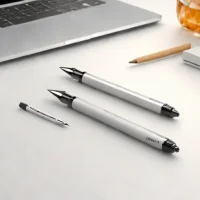
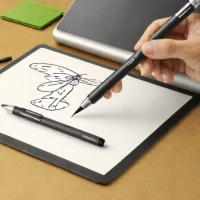
Wacom is synonymous with professional digital art tools, and the Bamboo Stylus carries that legacy. It is designed for artists who demand consistent, high-quality input across multiple devices, often pairing well with drawing tablets and compatible iPads. Its superior recognition of tilt and pressure makes it feel natural, bridging the gap between traditional pen use and digital input. Its a reliable choice for serious illustrators needing consistent performance.
help Wacom Bamboo Stylus FAQ
Does the Wacom Bamboo Stylus work on an iPad Pro?
It depends on the model, but older Bamboo styluses were purely capacitive and will work on an iPad Pro. However, modern iPad Pros use Apple Pencil technology, meaning a capacitive Bamboo stylus will not offer pressure sensitivity or palm rejection.
Is the Wacom Bamboo Stylus powered by a battery?
The older, standard Bamboo styluses did not require batteries because they used a conductive rubber tip to mimic a human finger. However, newer active versions, like the Bamboo Tip or Bamboo Sketch, require internal batteries and Bluetooth connections.
How do I replace the tip on my Wacom Bamboo stylus?
If you are using the fine-tip Bamboo stylus, you can purchase a pack of Wacom replacement nibs and use the included metal ring tool to pull the old tip out. The new tip can then be carefully pushed into the housing until it clicks into place.
What apps are compatible with the Wacom Bamboo Sketch stylus?
The Bamboo Sketch is highly compatible with popular creative iOS apps like Procreate, Autodesk SketchBook, and ArtRage. It connects via Bluetooth to allow for pressure-sensitive drawing within these supported applications.
explore Explore More


Reviews & Comments
Write a Review
Be the first to review
Share your thoughts with the community and help others make better decisions.


