
description Wacom Intuos (Medium) Overview
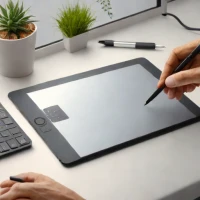
While the prompt excluded the Pro model, the standard Intuos Medium remains a benchmark for reliable, non-screen drawing tablets. It offers unparalleled driver stability and a familiar workflow for beginners transitioning from traditional media. Its compact size makes it incredibly portable, and its customizable express keys allow for quick access to essential tools without needing to look away from the screen. It is the perfect entry point into digital art without the steep learning curve of a display tablet.
help Wacom Intuos (Medium) FAQ
Does the Wacom Intuos Medium have a screen?
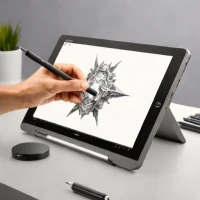
No, the standard Wacom Intuos Medium is a pen tablet without a built-in display. You draw on the tablet surface while looking at your monitor, which is different from a Wacom Cintiq.
Why choose the Medium size instead of the Small Intuos?
The Medium size gives more drawing area for arm movement, which helps with illustration, retouching, and line control. The Small model is easier to fit in a backpack, but the Medium feels less cramped on a desktop.
Is Wacom Intuos compatible with Photoshop and Clip Studio Paint?
Yes, Wacom tablets are widely supported by Adobe Photoshop, Clip Studio Paint, Corel Painter, and many other drawing apps. The real advantage is Wacom's long-running driver support and pressure-sensitive pen workflow.
Is this the same as the Wacom Intuos Pro?
No, the standard Intuos is the simpler consumer model, while Intuos Pro is aimed at professional artists with higher-end controls and build. The regular Intuos Medium is usually the better starting point for beginners who do not need Pro features.
explore Explore More


Reviews & Comments
Write a Review
Be the first to review
Share your thoughts with the community and help others make better decisions.


