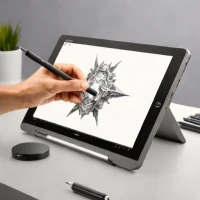
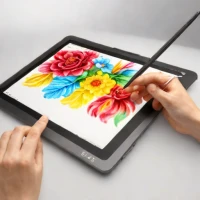
description Wacom Intuos Pro S Overview
The Wacom Intuos Pro S is a top-tier drawing tablet designed for professional artists and designers. It features pressure sensitivity, customizable buttons, and a sleek design that makes it easy to use. The pen has an ergonomic grip and provides smooth, precise control, making it ideal for detailed work in Photoshop or other digital art software.
info Wacom Intuos Pro S Specifications
| Weight | 600 g |
| Connectivity | USB-C |
| Dimensions (Wxhxd) | 27.9 x 18.5 x 3 cm |
| Pressure Sensitivity Range | 4,096 levels |
balance Wacom Intuos Pro S Pros & Cons
- Pressure sensitivity
- Customizable buttons
- Ergonomic pen grip
- Sleek design
- Higher price point compared to other brands
- Limited color options
- Not suitable for beginners
help Wacom Intuos Pro S FAQ
Is the Wacom Intuos Pro S compatible with both Windows and macOS?
Yes, it is compatible with both operating systems.
Can I use the pen without a tablet?
No, the pen requires a tablet to function properly.
How long does the battery last on the Wacom Intuos Pro S?
The tablet does not have a battery; it is powered by USB.
What is Wacom Intuos Pro S?
How good is Wacom Intuos Pro S?
How much does Wacom Intuos Pro S cost?
What are the best alternatives to Wacom Intuos Pro S?
What is Wacom Intuos Pro S best for?
Professional artists and designers who require high precision and customization in their work.
How does Wacom Intuos Pro S compare to Samsung Galaxy Tab S10 Ultra?
Is Wacom Intuos Pro S worth it in 2026?
What are the key specifications of Wacom Intuos Pro S?
- Weight: 600 g
- Connectivity: USB-C
- Dimensions (WxHxD): 27.9 x 18.5 x 3 cm
- Pressure sensitivity range: 4,096 levels
explore Explore More
Similar to Wacom Intuos Pro S
See all arrow_forwardReviews & Comments
Write a Review
Be the first to review
Share your thoughts with the community and help others make better decisions.