
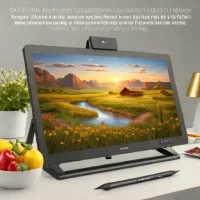
description XP-Pen Artist 22 Overview
This model provides an enormous drawing area, making it perfect for users who frequently work with large-scale artwork, such as architectural visualization or detailed environmental concept art. It maximizes screen real estate for the budget-conscious professional, offering a canvas size that few competitors match at this price point.
help XP-Pen Artist 22 FAQ
Who benefits most from the XP-Pen Artist 22's large display?
The large drawing area suits people working on architectural visualization, environmental concept art, and other detailed projects. More screen space can make broad layouts and long brush strokes easier to manage than on a small pen display.
Is the XP-Pen Artist 22 suitable for professional artwork?
It is presented as a budget-conscious option for professionals who want a large canvas. Before buying, verify the exact Artist 22 generation, resolution, color coverage, stand, and included pen because those specifications differ between versions.
Does the XP-Pen Artist 22 work with Photoshop?
XP-Pen Artist displays are commonly used with desktop creative applications such as Photoshop, but compatibility depends on the exact driver and operating system. Install the current driver for the specific Artist 22 model and test pressure behavior in your chosen app.
Is the XP-Pen Artist 22 a regular monitor or a drawing display?
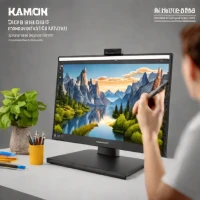
It is a pen display that shows the computer's image while allowing you to draw directly on the screen with a compatible stylus. It normally needs a host computer and the correct cables, rather than operating as a standalone tablet.
explore Explore More

Reviews & Comments
Write a Review
Be the first to review
Share your thoughts with the community and help others make better decisions.


