
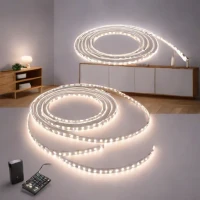
description Yeelight Smart LED Strip Overview
Yeelight offers a fantastic blend of features and affordability, deeply integrated within the Xiaomi/Mi ecosystem. These strips provide reliable RGBW control, allowing users to achieve both vibrant colors and accurate white tuning. Setup is generally straightforward via the Mi Home app, making it accessible for mainstream users looking to upgrade their ambiance without deep technical diving. It's a solid, reliable workhorse for most modern homes.
help Yeelight Smart LED Strip FAQ
Does the Yeelight Smart LED Strip work with Apple HomeKit?
Yes, many Yeelight strips support Apple HomeKit, allowing native control via the Apple Home app. This also enables you to use Siri voice commands to turn the lights on or change their colors.
Can I cut the Yeelight Smart LED Strip to fit my specific desk or TV size?
Yes, the strip has clearly designated scissor markings showing where it can be safely cut. Trimming it outside of these specific contact points will permanently break the circuit and ruin the remaining lights.
What app is required to control the Yeelight Smart LED Strip?
You can control it using the dedicated Yeelight app, which offers extensive RGBW tuning and effects. It is also deeply integrated into the Mi Home app if you are running a broader Xiaomi smart home ecosystem.
Does the Yeelight strip support Google Assistant and Amazon Alexa?
Yes, the strip is fully compatible with both Google Assistant and Amazon Alexa. This allows you to integrate your lighting into broader routines alongside other smart devices in your home.
explore Explore More
Similar to Yeelight Smart LED Strip
compare_arrows Compare: Philips Hue Lightstrip (Orig... See all arrow_forward


Reviews & Comments
Write a Review
Be the first to review
Share your thoughts with the community and help others make better decisions.


