
description Chromebook with SSD Storage Overview
While ChromeOS is cloud-based, the underlying storage speed dramatically affects perceived performance. Choosing a model with an SSD (Solid State Drive) over older eMMC storage ensures lightning-fast boot times, rapid app loading, and snappy overall responsiveness. This is a crucial upgrade for making the basic experience feel premium and immediate.
insights Why this score
Chromebook with SSD Storage ranks #4 of 44 in the Acer Chromebook Spin 314 ranking, behind Acer Chromebook Spin 713 (Fingerprint Reader), ahead of Chromebook with 8GB RAM.
help Chromebook with SSD Storage FAQ
Do Chromebooks actually come with SSD storage instead of eMMC?
Yes, some midrange and premium Chromebooks use SATA or NVMe solid-state drives, while many inexpensive models use soldered eMMC storage. The specification must explicitly say SSD or NVMe because a storage capacity such as 128 GB does not reveal the technology.
Will an SSD make a Chromebook faster when most files are in Google Drive?
It can improve startup, local file access, Linux applications, and workloads that use disk caching. It will not compensate for insufficient RAM, a slow processor, or a poor internet connection.
Can the SSD in a Chromebook be upgraded later?
Usually not, because many Chromebook storage devices are soldered to the motherboard. A few larger enterprise models use replaceable drives, but upgradeability must be confirmed from a service manual.
Is an SSD-equipped Chromebook better for Steam and Linux apps?
Faster local storage helps with installation and loading, but software support also depends on the processor, RAM, and ChromeOS compatibility. Steam for Chromebook supports only selected hardware, while Linux development environments need enough free local storage.
explore Explore More
Similar to Chromebook with SSD Storage
See all arrow_forward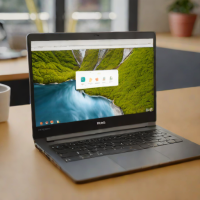


Reviews & Comments
Write a Review
Be the first to review
Share your thoughts with the community and help others make better decisions.


