
description Logitech MX Keys for Business Overview
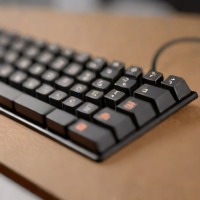
This is the reliable workhorse for the modern office. The MX Keys maintains a gently curved profile that is significantly more comfortable than flat keyboards, reducing wrist strain during long work sessions. Its multi-device pairing capability is unmatched for professionals who switch between work, personal, and presentation machines daily. It prioritizes seamless usability and reliability over deep customization.
insights Ranking position
Logitech MX Keys for Business ranks #8 of 30 in the Ergonomic Keyboard ranking, behind Keychron K3 (Compact Mechanical), ahead of Keychron Q2 (TKL Mechanical).
balance Logitech MX Keys for Business Pros & Cons
- Comfortable low-profile keys
- Quiet precise typing feel
- Reliable multi-device switching
- Automatic backlight adjustment
- No mechanical key switches
- Wrist rest sold separately
- Backlighting reduces battery life
help Logitech MX Keys for Business FAQ
How many devices can the Logitech MX Keys for Business pair with simultaneously?
The keyboard can connect to up to three devices at once via Bluetooth or the included Logitech Unifying USB receiver. You can seamlessly switch between a laptop, desktop, and tablet using the dedicated Easy-Switch keys.
Is the Logitech MX Keys considered ergonomic?
While not a split-style ergonomic keyboard, it features a gently curved profile and a low profile that reduces wrist strain during long typing sessions. The perfect stroke keys are designed to provide tactile feedback while keeping the hands flat.
How is the 'For Business' version different from the standard MX Keys?
The Business version is identical in hardware but optimized for IT deployment within an enterprise environment. It includes advanced device management software and a longer warranty tailored to corporate security needs.
How does the Logitech MX Keys receive power?
It charges via a standard USB-C cable, which provides up to 10 days of battery life with the backlight constantly on. With the backlight off, the battery can last for up to five months on a single charge.
explore Explore More
Similar to Logitech MX Keys for Business
See all arrow_forward


Reviews & Comments
Write a Review
Be the first to review
Share your thoughts with the community and help others make better decisions.


