
description Canon CanoScan LiDE 300 Overview
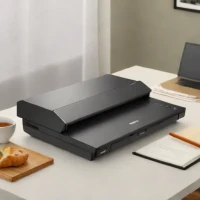
The Canon CanoScan LiDE 300 is a compact, flatbed scanner designed for users needing to digitize photos and documents. It offers a resolution of 2400 dpi, suitable for capturing detailed images. Its USB connectivity allows straightforward integration with computers. This entry-level scanner is ideal for casual photographers, students, and anyone requiring basic scanning capabilities on a budget.
help Canon CanoScan LiDE 300 FAQ
Can the Canon CanoScan LiDE 300 scan old photos as well as documents?
Yes, it is a flatbed scanner with 2400 x 2400 dpi optical resolution and Canon lists a photo scan mode. Canon rates a 4 x 6 inch color photo scan at about 5 seconds at 300 dpi. [Canon specifications](https://www.usa.canon.com/support/p/canoscan-lide-300)
Does the CanoScan LiDE 300 need a separate power adapter?
No, the scanner receives both data and power through one Hi-Speed USB 2.0 cable. Its connector is USB Mini-B rather than USB-C, so a compatible cable or adapter may be needed with a newer laptop. [Canon specifications](https://www.usa.canon.com/support/p/canoscan-lide-300)
Can the LiDE 300 scan thick books or magazines?
Its Advanced Z-lid can rise parallel to the platen by up to 21 millimeters, which helps with bulky originals. It is still a flatbed scanner, so each page must be positioned manually rather than fed through an automatic document feeder.
Does the Canon LiDE 300 include OCR and one-touch scanning?
Canon lists four EZ buttons for Auto Scan, Copy, PDF, and Send, along with OCR support through its scanning software. The package includes IJ Scan Utility for Windows and IJ Scan Utility Lite for Mac. [Canon software details](https://www.usa.canon.com/support/p/canoscan-lide-300)
explore Explore More
Similar to Canon CanoScan LiDE 300
compare_arrows Compare: Epson Perfection V39 See all arrow_forward


Reviews & Comments
Write a Review
Be the first to review
Share your thoughts with the community and help others make better decisions.


