
description Shortwave Overview
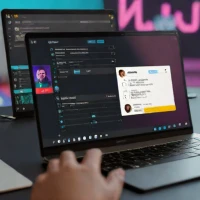
Shortwave brings AI assistance into email, making messages and conversation history part of the working context. Thread summaries help readers catch up on long exchanges, while the assistant can answer questions about email content and help draft responses. This makes it relevant to teams whose project decisions and follow-up work are spread across many conversations.
Calendar-related functions extend the workflow into scheduling: the assistant can check connected availability, create invitations and help write scheduling emails. Those functions do not establish unrestricted access to every participant's calendar or automatic learning of a team's preferences. Shortwave suits people who want to organize communication and handle related tasks within an email workspace. Its assistant documentation explains how these actions work, distinguishing it from a tool primarily built to record meetings.
help Shortwave FAQ
Does Shortwave replace Gmail or work on top of it?
Shortwave acts as an alternative email client for Gmail accounts rather than operating as a separate email provider. It adds features such as AI summaries, natural-language search, inbox splitting, and bundled message triage.
Can Shortwave schedule Google Calendar meetings from an email?
Yes. Its AI assistant can check Google Calendar availability, suggest times, create calendar invitations, and draft a scheduling reply from within the inbox.
Can Shortwave identify action items in a long email thread?
Yes, the assistant can summarize a thread and extract tasks, dates, or other requested details. It can also analyze multiple selected emails rather than being limited to the message currently open.
Which devices have a Shortwave app?
Shortwave is available on iOS, Android, macOS, and Windows, in addition to its web experience. Some individual interactions can vary by platform, such as selecting a date in an email and invoking Schedule with AI.
explore Explore More


Reviews & Comments
Write a Review
Be the first to review
Share your thoughts with the community and help others make better decisions.


