
description Plustek ePhoto Z300 Overview
The Plustek ePhoto Z300 is a compact and affordable flatbed scanner ideal for casual users and those with limited space. It offers a decent resolution for scanning photos and documents, and its simple interface makes it easy to use. While it lacks advanced features like Digital ICE, it provides good value for its price point. It's a great option for basic scanning needs.
help Plustek ePhoto Z300 FAQ
Does the Plustek ePhoto Z300 require a computer to scan photos?
Yes, the scanner must be connected to a PC or Mac via its included USB cable to function. It relies on the companion software to process and save the images directly to your local hard drive.
How fast does the Plustek ePhoto Z300 scan standard photos?
The device is designed to scan a 4x6 inch photo in approximately two seconds at 300 dpi. This fast scanning speed makes it highly efficient for digitizing large photo albums.
Can the Plustek ePhoto Z300 be used to scan standard documents?
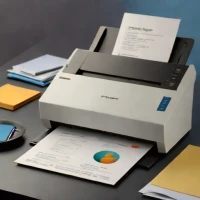
While it is primarily marketed for photos, the Z300 can scan standard letter-sized documents as well. It functions as a versatile sheet-fed scanner for both delicate photographs and everyday paperwork.
Do I need to install specific drivers for the Plustek ePhoto Z300 on Windows?
You will need to install Plustek's proprietary scanning software, which includes the necessary drivers for Windows and macOS. The scanner is not a simple plug-and-play device and relies on this software interface.
explore Explore More



Reviews & Comments
Write a Review
Be the first to review
Share your thoughts with the community and help others make better decisions.


