
description AudioQuest DragonFly Black Overview
The AudioQuest DragonFly Black is a portable USB digital-to-analog converter (DAC) and headphone amplifier introduced in 2016 by American audio company AudioQuest. Designed to improve the sound quality of high-resolution digital audio files, it connects directly to a computer or mobile device via a USB input. The device utilizes an ESS Sabre 9016 DAC chip and supports audio resolutions up to 24-bit/96kHz. Its compact, flash-drive-sized form factor is intended for audiophiles and casual listeners seeking an entry-level upgrade over built-in sound cards.
help AudioQuest DragonFly Black FAQ
Can the DragonFly Black play 24-bit/192 kHz music at full resolution?
No, its native decoding limit is 24-bit/96 kHz. Higher-resolution files may still play after the computer or app resamples them to a supported rate.
Can I connect a DragonFly Black directly to an iPhone or Android phone?
Yes, but the USB-A plug normally requires an Apple camera adapter or an Android USB OTG adapter. AudioQuest lists compatibility with iOS, Android, Windows, and macOS devices.
Will the DragonFly Black drive demanding headphones?
Its headphone output is rated at 1.2 volts, which suits many efficient headphones and in-ear monitors. The DragonFly Red and Cobalt provide 2.1 volts and are more appropriate when additional output is needed.
What do the changing colors on the DragonFly logo mean?
The illuminated dragonfly indicates the active sample rate, with green used for 44.1 kHz and blue for 48 kHz. Amber represents 88.2 kHz, while magenta represents 96 kHz.
explore Explore More
Similar to AudioQuest DragonFly Black
compare_arrows Compare: AudioQuest DragonFly Red See all arrow_forward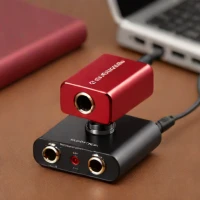


Reviews & Comments
Write a Review
Be the first to review
Share your thoughts with the community and help others make better decisions.


