
description Microsoft Surface Laptop 5 13.5-inch Overview
help Microsoft Surface Laptop 5 13.5-inch FAQ
Does the Surface Laptop 5 13.5-inch support Thunderbolt 4 for external monitors?
Yes, unlike previous generations that used proprietary Surface Connect ports, the Surface Laptop 5 includes USB-C ports that fully support Thunderbolt 4. This allows users to connect to high-speed external drives, multiple 4K monitors, and compatible docking stations.
Can I upgrade the RAM or internal storage on the Microsoft Surface Laptop 5 after purchase?
No, the RAM and internal solid-state storage on the 13.5-inch Surface Laptop 5 are soldered directly to the motherboard and cannot be upgraded. Buyers must carefully choose their desired Intel Core i5 or i7 processor and memory configurations at the time of purchase.
What kind of battery life can I expect from the 13.5-inch Surface Laptop 5?
Microsoft claims the Surface Laptop 5 13.5-inch can achieve up to 18 hours of typical device usage on a single charge. In real-world testing, users usually experience closer to 10 to 12 hours, depending heavily on display brightness and the intensity of the tasks being performed.
Does the 13.5-inch Surface Laptop 5 feature a dedicated graphics card for gaming?
No, the 13.5-inch Surface Laptop 5 relies entirely on Intel's integrated Iris Xe graphics rather than a dedicated GPU. This setup is perfectly adequate for everyday productivity and video playback, but it is not suitable for heavy 3D gaming or complex video editing.
explore Explore More
Similar to Microsoft Surface Laptop 5 13.5-inch
compare_arrows Compare: Microsoft Surface Laptop 4 1... See all arrow_forward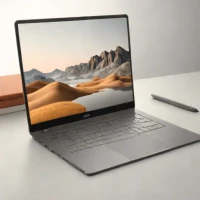
Reviews & Comments
Write a Review
Be the first to review
Share your thoughts with the community and help others make better decisions.


