
description Pixlr E Overview
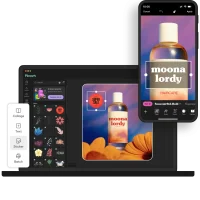
Pixlr E is a surprisingly powerful, free online photo editor and graphic design tool that serves as a viable Canva alternative, particularly for users on a budget. It offers a layer-based editing system, a wide range of filters and effects, and a decent selection of templates. While it lacks Canva's ease of use and collaborative features, Pixlr E provides a robust set of tools for basic to intermediate design tasks. It's a great option for social media content creation, simple graphic design projects, and anyone seeking a free, web-based alternative to paid software.
help Pixlr E FAQ
Is Pixlr E completely free to use for graphic design?
Pixlr E operates on a freemium model, meaning the core photo editing software is completely free to use directly in your web browser. You get access to a layer-based editing system, filters, and a wide range of effects without paying. However, upgrading to a premium subscription removes advertisements and unlocks advanced AI tools.
Can I use layers to edit photos in Pixlr E?
Yes, unlike basic web editors, Pixlr E features a robust, layer-based editing system very similar to Adobe Photoshop. You can create multiple layers, apply blending modes, and use layer masks to make non-destructive edits. This makes it a highly capable tool for complex graphic design composites.
Does Pixlr E require an internet connection to edit photos?
By default, Pixlr E is a cloud-based application that requires an active internet connection to load the interface and save files. However, the browser version does cache some basic functionality if your connection drops momentarily. For a fully offline experience, you would need a traditional desktop program like GIMP.
What image formats can I export from the Pixlr E editor?
Pixlr E allows users to save and export their final images in several standard formats, including JPEG, PNG, and WebP. If you are working on a project with multiple layers, you can save it as a proprietary PXZ file to preserve your layer structure for later editing. This allows you to easily return to your graphic design work right where you left off.
explore Explore More



Reviews & Comments
Write a Review
Be the first to review
Share your thoughts with the community and help others make better decisions.


