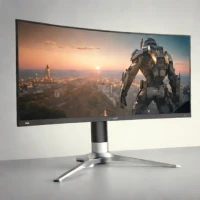
zoom_in Click to enlarge

description ViewSonic TD1655 Overview

The ViewSonic TD1655 is a versatile 15.6-inch FHD portable monitor with 10-point capacitive touchscreen and pen support, compatible with Windows Ink. It connects via USB-C or micro-HDMI and includes a built-in foldable stand. This model is targeted at digital artists, designers, and presenters who need direct interaction with their screen. Its value proposition is strong, offering touch functionality at a competitive price point.

It ranks highly for feature completeness, including a protective sleeve and stylus. User reviews praise its responsiveness and utility for creative workflows. It's a paid, mid-to-high-tier tool for interactive work.

recommend Best for: Ideal for digital artists, designers, and presenters who require a portable monitor with professional features.

info ViewSonic TD1655 Specifications

balance ViewSonic TD1655 Pros & Cons

thumb_up Pros
  • check Versatile 15.6-inch FHD display
  • check 10-point capacitive touchscreen with pen support
  • check Compatibility with Windows Ink for natural handwriting experience
  • check Flexible connectivity options via USB-C and micro-HDMI
thumb_down Cons
  • close Limited color accuracy compared to professional monitors
  • close No built-in webcam or microphone
  • close Higher price point than some budget monitors
  • close Not suitable for heavy gaming due to lower refresh rate

help ViewSonic TD1655 FAQ

Is the ViewSonic TD1655 compatible with Windows Ink?

Yes, it supports Windows Ink for a natural handwriting experience.

Can I use this monitor as a second screen on my laptop?

Absolutely, you can connect it via USB-C or micro-HDMI to extend your desktop.

Does the ViewSonic TD1655 come with any software tools?

It includes basic calibration and color management tools for professional use.

What is ViewSonic TD1655?
The ViewSonic TD1655 is a versatile 15.6-inch FHD portable monitor with 10-point capacitive touchscreen and pen support, compatible with Windows Ink. It connects via USB-C or micro-HDMI and includes a built-in foldable stand. This model is targeted at digital artists, designers, and presenters who need direct interaction with their screen. Its value proposition is strong, offering touch functionality at a competitive price point. It ranks highly for feature completeness, including a protective sleeve and stylus. User reviews praise its responsiveness and utility for creative workflows. It's a paid, mid-to-high-tier tool for interactive work.
How good is ViewSonic TD1655?
ViewSonic TD1655 scores 7.6/10 (Good) on Lunoo, making it a well-rated option in the Computer Monitor category. The ViewSonic TD1655 scores 8.4/10 due to its versatile display, touchscreen capabilities, and compatibility with Windows Ink. However, it falls short...
How much does ViewSonic TD1655 cost?
From $249.99. Visit the official website for the most up-to-date pricing.
What are the best alternatives to ViewSonic TD1655?
See our alternatives page for ViewSonic TD1655 for a ranked list with scores. Top alternatives include: Lenovo ThinkVision M14, Dell UltraSharp U4025QW, Apple Pro Display XDR.
What is ViewSonic TD1655 best for?

Ideal for digital artists, designers, and presenters who require a portable monitor with professional features.

How does ViewSonic TD1655 compare to Lenovo ThinkVision M14?
See our detailed comparison of ViewSonic TD1655 vs Lenovo ThinkVision M14 with scores, features, and an AI-powered verdict.
Is ViewSonic TD1655 worth it in 2026?
With a score of 7.6/10, ViewSonic TD1655 is a solid option in Computer Monitor. See all Computer Monitor ranked.
What are the key specifications of ViewSonic TD1655?
  • Stand: Built-in foldable stand
  • Weight: Approx. 1.5 kg
  • Resolution: FHD (1920 x 1080)
  • Connectivity: USB-C, micro-HDMI
  • Display Size: 15.6-inch
  • Touchscreen Type: 10-point capacitive

Reviews & Comments

Write a Review

lock

Please sign in to share your review

rate_review

Be the first to review

Share your thoughts with the community and help others make better decisions.

Save to your list

Create your first list and start tracking the tools that matter to you.

Track favorites
Get updates
Compare scores

Already have an account? Sign in

Compare Items

See how they stack up against each other

Comparing
VS
Select 1 more item to compare