
description Wacom Bamboo Spark Overview
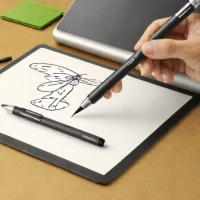
The Wacom Bamboo Spark is a hybrid digital notebook combining the familiar feel of a ballpoint pen with seamless digitization. It utilizes a capacitive stylus to capture handwritten notes and sketches directly into the Wacom Desktop Manager software. This allows for easy editing, sharing, and organization of ideas. The system is ideal for professionals, students, and anyone who values traditional handwriting alongside the flexibility of digital workflows.
help Wacom Bamboo Spark FAQ
Does the Wacom Bamboo Spark draw directly on a computer screen?
No. It is a smart folio that captures writing made on ordinary paper with its compatible ink pen, unlike a Wacom Intuos or Cintiq graphics tablet.
How are Bamboo Spark notes transferred to a phone?
After finishing a page, the user presses the folio's button to save it and syncs through Bluetooth to Wacom's Inkspace app. The original product documentation also refers to the earlier Bamboo Spark app.
Can any ballpoint pen be used with Bamboo Spark?
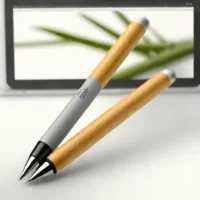
No. The folio needs the compatible Wacom smart pen to detect strokes, although that pen writes with replaceable ink cartridges on standard paper.
Is Bamboo Spark still easy to support and buy accessories for?
It is an older, discontinued product that was followed by Bamboo Slate and Bamboo Folio. Inkspace documentation remains available, but buyers should confirm current app compatibility and locate a working pen and replacement cartridges before purchasing used.
explore Explore More


Reviews & Comments
Write a Review
Be the first to review
Share your thoughts with the community and help others make better decisions.


