
description Canvas Studio Overview
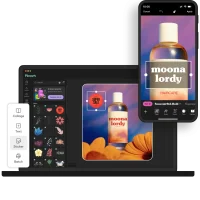
Canvas Studio is a mobile-first photo editor designed for photographers on the go. It combines powerful RAW processing capabilities with an intuitive interface, allowing users to edit stunning images directly on their smartphones or tablets. Its AI-powered Style Transfer feature lets you mimic the look of famous paintings, while its non-destructive workflow ensures flexibility and experimentation. Canvas Studios cloud syncing feature allows you to access your projects across all your devices.
help Canvas Studio FAQ
Can Canvas Studio process RAW files on a phone?
Yes, Canvas Studio is designed to handle RAW image processing directly on smartphones and tablets, making it a portable alternative to desktop editors like Adobe Lightroom. Its mobile-first interface is optimized for touchscreen editing workflows.
Does Canvas Studio have AI-powered editing tools?
Canvas Studio includes an AI-powered Style Transfer feature that applies the visual aesthetic of one image to another. This allows photographers to experiment with artistic effects without manual compositing or layering work.
Does Canvas Studio require a subscription?
Canvas Studio's pricing model may include both free and premium tiers, with advanced features like RAW processing and AI Style Transfer potentially requiring a paid plan. Users should verify current pricing and feature breakdowns on the app's official listing.
explore Explore More


Reviews & Comments
Write a Review
Be the first to review
Share your thoughts with the community and help others make better decisions.


