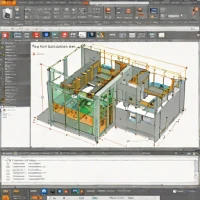
description LibreCAD Overview

LibreCAD is a simple, open-source 2D CAD application. It is designed for basic 2D drafting tasks and is extremely lightweight, making it suitable for older hardware or simple projects where complex features are unnecessary. It uses the DXF format for import and export, ensuring compatibility with other CAD software. For small businesses that only need to create basic floor plans or simple technical drawings and want to avoid any software costs, LibreCAD is a straightforward and functional solution.

It is not intended for 3D modeling or complex engineering.

recommend Best for: LibreCAD is best suited for professionals who need a free CAD solution with basic to intermediate capabilities.

info LibreCAD Specifications

balance LibreCAD Pros & Cons

thumb_up Pros
  • check Free and open-source
  • check Cross-platform compatibility
  • check Supports DXF import/export
  • check Customizable interface
thumb_down Cons
  • close Limited scripting capabilities compared to commercial alternatives
  • close Some advanced features are missing
  • close User interface can be less intuitive for beginners
  • close Lack of extensive documentation

help LibreCAD FAQ

Is LibreCAD free to use?

Yes, LibreCAD is completely free and open-source software.

Does LibreCAD support DXF files?

Yes, it supports importing and exporting DXF files, making it compatible with other CAD programs.

Can I customize the interface in LibreCAD?

Yes, you can customize the interface by adding or removing toolbars and panels to suit your workflow.

What is LibreCAD?
LibreCAD is a simple, open-source 2D CAD application. It is designed for basic 2D drafting tasks and is extremely lightweight, making it suitable for older hardware or simple projects where complex features are unnecessary. It uses the DXF format for import and export, ensuring compatibility with other CAD software. For small businesses that only need to create basic floor plans or simple technical drawings and want to avoid any software costs, LibreCAD is a straightforward and functional solution. It is not intended for 3D modeling or complex engineering.
How good is LibreCAD?
LibreCAD scores 8.6/10 (Very Good) on Lunoo, making it a well-rated option in the Cad Software category. LibreCAD scores 8.1/10 due to its free and open-source nature, cross-platform compatibility, and support for DXF files. However, it lacks some advance...
How much does LibreCAD cost?
Free Plan. Visit the official website for the most up-to-date pricing.
What are the best alternatives to LibreCAD?
See our alternatives page for LibreCAD for a ranked list with scores. Top alternatives include: Freeplane, OpenSCAD, Autodesk Revit.
What is LibreCAD best for?

LibreCAD is best suited for professionals who need a free CAD solution with basic to intermediate capabilities.

How does LibreCAD compare to Freeplane?
See our detailed comparison of LibreCAD vs Freeplane with scores, features, and an AI-powered verdict.
Is LibreCAD worth it in 2026?
With a score of 8.6/10, LibreCAD is highly rated in Cad Software. See all Cad Software ranked.
What are the key specifications of LibreCAD?
  • API: No public API available
  • Platform: Windows, macOS, Linux
  • Languages: English, German, French, Spanish
  • Integration: Supports DXF import/export

Reviews & Comments

Write a Review

lock

Please sign in to share your review

rate_review

Be the first to review

Share your thoughts with the community and help others make better decisions.

Save to your list

Create your first list and start tracking the tools that matter to you.

Track favorites
Get updates
Compare scores

Already have an account? Sign in

Compare Items

See how they stack up against each other

Comparing
VS
Select 1 more item to compare