
description Wacom Pro Pen 3 Overview
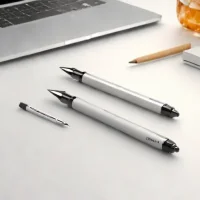
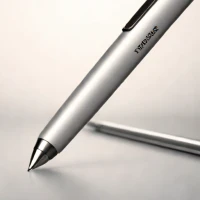
Pressure-sensitive drawing and tilt recognition are central to Wacom Pro Pen 3, a stylus for compatible Wacom creative hardware. These inputs let supported drawing software vary strokes and shading according to how the pen is used. Its adjustable physical design allows artists to change aspects of the grip and balance, making pen feel a more deliberate part of the working setup. The pen suits digital illustrators and other artists doing detailed line work or extended drawing sessions on compatible devices, including supported Cintiq Pro displays.
Its distinction is the combination of drawing control with customizable handling. Compatibility needs checking for the specific display or tablet; a Wacom name alone does not establish support.
help Wacom Pro Pen 3 FAQ
What tablets are compatible with the Wacom Pro Pen 3?
The Wacom Pro Pen 3 is specifically designed for high-end Wacom Cintiq displays and Wacom Intuos Pro pen tablets. It utilizes Wacom's latest electromagnetic resonance technology to communicate seamlessly with these professional-grade devices.
Does the Wacom Pro Pen 3 have tilt recognition?
Yes, the Pro Pen 3 features highly responsive tilt recognition, allowing digital illustrators to create natural shading and brush effects. Combined with its incredible pressure curve, it feels like a natural extension of the hand.
How many pressure levels does the Wacom Pro Pen 3 support?
The Wacom Pro Pen 3 supports 8,192 levels of pressure sensitivity, which is the current industry standard for professional digital pens. This extreme granularity allows artists to execute strokes with exact precision and opacity control.
Does the Wacom Pro Pen 3 require a battery or charging?
No, the Wacom Pro Pen 3 uses patented electromagnetic resonance (EMR) technology to draw power directly from the tablet's digitizer. Because of this, it is entirely battery-free and never needs to be charged.
explore Explore More


Reviews & Comments
Write a Review
Be the first to review
Share your thoughts with the community and help others make better decisions.


