
description Photopea Overview
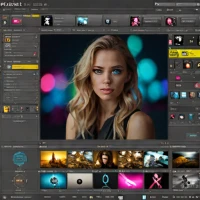
Photopea is a remarkably capable, browser-based image editor that closely mimics Adobe Photoshop's interface and supports PSD, XCF, and Sketch files. It includes layers, masks, smart objects, and a wide range of filters and adjustments. It runs entirely in your web browser with no installation required. Targeted at students, casual users, or professionals needing quick edits on any computer, it is free with optional ads or a premium ad-free version.
It scores highly for its astonishing depth as a web app, excellent file format compatibility, and providing a near-complete Photoshop-like experience instantly and for free.
help Photopea FAQ
Is Photopea free to use?
Yes, it offers a free version with basic and premium features available.
Does Photopea support all file formats?
It supports PSD, XCF, and Sketch files but lacks native export options for some formats.
Can I use Photopea offline?
No, it requires an internet connection to function as a browser-based application.
explore Explore More


format_list_numbered Lists featuring Photopea

Reviews & Comments
Write a Review
Be the first to review
Share your thoughts with the community and help others make better decisions.


