
description AWS Backup Vaults Overview
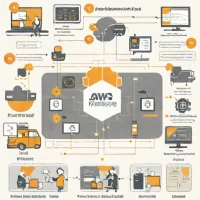
AWS Backup provides a centralized, policy-driven service to manage backups for nearly every AWS service. While not a full DR orchestration tool like DRS, it is the foundational layer for data recovery. It allows you to define granular retention policies and automate the backup process for databases, EC2, and EFS across multiple accounts, ensuring data is recoverable even if the primary service fails.
help AWS Backup Vaults FAQ
What is the difference between AWS Backup Vaults and Amazon S3 for storing backups?
While S3 is a raw storage bucket, AWS Backup Vaults are a specialized, policy-driven container designed specifically to manage backups across multiple AWS services like EC2 and DynamoDB. Vaults provide built-in compliance controls, automated lifecycle management, and immutability options to protect against ransomware.
Can I use AWS Backup Vaults to meet strict data compliance requirements?
Yes, AWS Backup allows you to enforce organization-wide backup policies that automatically align with regulatory frameworks. You can also enable AWS Backup Vault Lock to make backups immutable, ensuring no user—not even an admin—can delete or alter a recovery point before its retention period expires.
How does AWS Backup handle cross-region disaster recovery?
AWS Backup allows you to configure automated, cross-region copying directly within your backup plans. This means a backup stored in an AWS Backup Vault in the US-East region can be seamlessly copied to a vault in Europe, ensuring geographic redundancy during regional outages.
Does AWS Backup Vaults support third-party applications?
In addition to native AWS infrastructure, AWS Backup has expanded to support third-party workloads like SAP HANA and VMware virtual machines. This integration allows enterprises to consolidate their data protection strategies into a single centralized pane of glass rather than using fragmented tools.
explore Explore More
Reviews & Comments
Write a Review
Be the first to review
Share your thoughts with the community and help others make better decisions.


