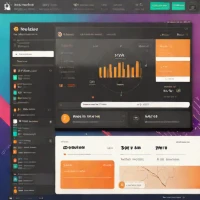
Scoro - ERP Software
zoom_in Click to enlarge

description Scoro Overview

Scoro is a comprehensive end-to-end work management software specifically for professional service agencies. It integrates project management with CRM, quoting, time tracking, billing, and financial reporting in a single platform. This eliminates switching between tools for tasks like converting a won deal into a project, tracking time against it, and invoicing. Features include Kanban boards, Gantt charts, and real-time KPI dashboards.

It is a paid solution. Scoro scores well for agencies seeking a unified system to manage the entire client lifecycle and business operations, providing deep insights into profitability and utilization.

recommend Best for: Scoro is best suited for professional service agencies seeking a single-platform solution for project management, CRM, quoting, time tracking, billing, and financial reporting.

info Scoro Specifications

balance Scoro Pros & Cons

thumb_up Pros
  • check Unified platform for project management, CRM, quoting, time tracking, billing, and financial reporting
  • check Real-time collaboration features
  • check Customizable workflows to fit agency processes
  • check Mobile accessibility
thumb_down Cons
  • close Steep learning curve for new users
  • close Limited customization options for advanced reporting
  • close Higher cost compared to some competitors
  • close Less focus on marketing automation

help Scoro FAQ

What are the main features of Scoro?

Scoro offers project management, CRM, quoting, time tracking, billing, and financial reporting in a single platform.

Is there a free plan available for Scoro?

Yes, Scoro offers a freemium model with a basic free plan.

How does Scoro handle time tracking?

Scoro allows users to track time on projects and tasks in real-time, providing detailed reports and analytics.

What is Scoro?
Scoro is a comprehensive end-to-end work management software specifically for professional service agencies. It integrates project management with CRM, quoting, time tracking, billing, and financial reporting in a single platform. This eliminates switching between tools for tasks like converting a won deal into a project, tracking time against it, and invoicing. Features include Kanban boards, Gantt charts, and real-time KPI dashboards. It is a paid solution. Scoro scores well for agencies seeking a unified system to manage the entire client lifecycle and business operations, providing deep insights into profitability and utilization.
How good is Scoro?
Scoro scores 8.9/10 (Very Good) on Lunoo, making it a well-rated option in the ERP Software category. Scoro scores 8.4/10 due to its comprehensive feature set and unified platform, which significantly improves efficiency for professional service agenci...
How much does Scoro cost?
Free Plan • From $25/user/month. Visit the official website for the most up-to-date pricing.
What are the best alternatives to Scoro?
See our alternatives page for Scoro for a ranked list with scores. Top alternatives include: Accenture, Deloitte, Oracle SCM Cloud.
What is Scoro best for?

Scoro is best suited for professional service agencies seeking a single-platform solution for project management, CRM, quoting, time tracking, billing, and financial reporting.

How does Scoro compare to Accenture?
See our detailed comparison of Scoro vs Accenture with scores, features, and an AI-powered verdict.
Is Scoro worth it in 2026?
With a score of 8.9/10, Scoro is highly rated in ERP Software. See all ERP Software ranked.
What are the key specifications of Scoro?
  • API: Yes
  • Platform: Web-based
  • Languages: English, German, French, Spanish
  • Integrations: Zapier, Slack, Trello, Asana, Jira

Reviews & Comments

Write a Review

lock

Please sign in to share your review

rate_review

Be the first to review

Share your thoughts with the community and help others make better decisions.

Save to your list

Create your first list and start tracking the tools that matter to you.

Track favorites
Get updates
Compare scores

Already have an account? Sign in

Compare Items

See how they stack up against each other

Comparing
VS
Select 1 more item to compare